



Choosing the right display support can change how a workspace feels and functions. A 360 degree swivel stand allows controlled rotation around its base, helping users share screens, adjust viewing angles, or reduce awkward neck movement. In a meeting room, one person can face the display toward a colleague without lifting the equipment. At a retail counter, staff can turn a tablet toward customers during checkout or form completion. Small movements matter.
It also offers practical flexibility. Many models support tablets, monitors, signage panels, or other compatible devices, depending on their weight limits and mounting systems. Before buying, check the manufacturer’s specifications carefully. Confirm the supported screen size, mounting pattern, base dimensions, and rotation range. Stability matters more than appearance. A wide metal base may feel secure, while a lightweight stand can shift when touched. Cable routing deserves attention too. A rotating display can twist exposed cables over time. I have seen attractive setups become inconvenient because the cable path was ignored.
A swivel stand is not automatically the best choice. Limited desk space, frequent movement, or a heavier screen may require a different design. Personal experience helps, but measured specifications provide stronger evidence. Compare materials, adjustment resistance, warranty terms, and user feedback from similar applications. Test the stand on the surface where it will be used. It should turn smoothly, stop reliably, and remain steady. That simple test can reveal more than polished product photographs. Choose flexibility, but do not sacrifice safety or long-term usability.
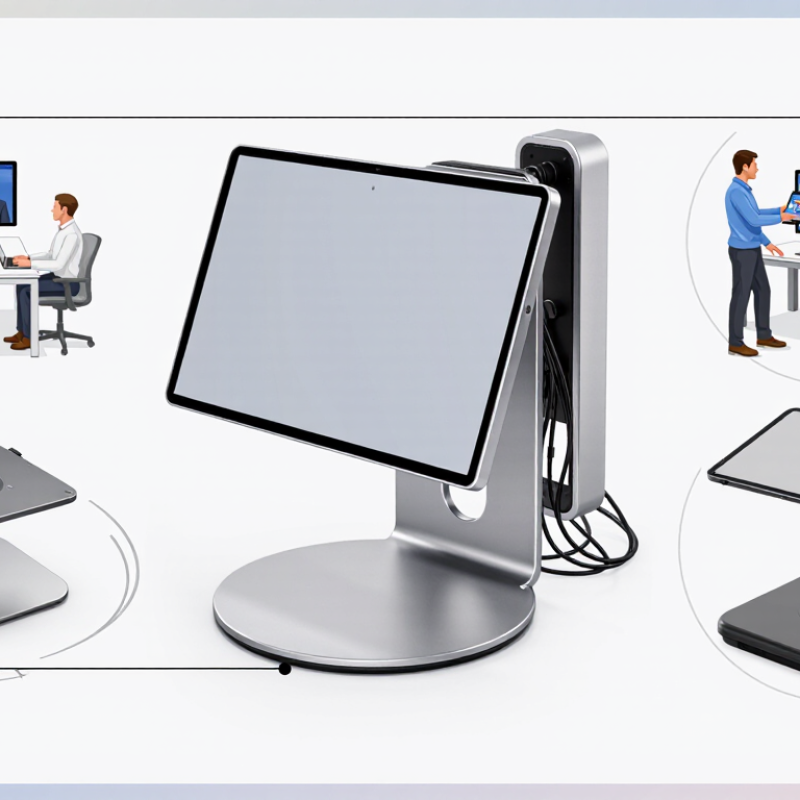
Why Choose a 360 Degree Swivel Stand?
What Is a 360-Degree Swivel Stand?
A 360-degree swivel stand is a support platform that rotates a mounted screen or device horizontally through a full circle. Its central bearing lets users change viewing direction without lifting the equipment. Most designs also include locking points, height adjustment, or tilt control. Small details matter. A loose lock can create wobble during typing or filming.
In practical use, the stand helps one display serve several positions. Turn it toward a seated worker, a nearby client, or a side camera. This can reduce repeated lifting and cable strain. Ergonomic guidance from the U.S. Occupational Safety and Health Administration recommends placing screens near eye level and reducing awkward neck positions. A rotating stand cannot fix every workstation problem. Poor desk height still causes discomfort.
The environmental value is easy to overlook. The 2024 Global E-waste Monitor reported 62 million tonnes of electronic waste in 2022, while only 22.3% was formally collected and recycled. A durable stand may extend the useful life of one display across changing work areas. That supports more careful equipment use. However, claims about improved productivity need restraint. The evidence depends on screen weight, bearing quality, user posture, and installation. A 2023 review in Applied Ergonomics also noted that adjustable workstation benefits vary between users. Rotation is useful, not magical.
| Feature | Typical 360-Degree Swivel Stand Data | Practical Advantage | Important Consideration |
|---|---|---|---|
| Horizontal Rotation | Up to 360° continuous rotation | Allows the mounted display, monitor, tablet, or device to face any direction without lifting the stand. | The actual rotation may be limited by the device, cable routing, or surrounding furniture. |
| Viewing Direction | Front, side, and rear access | Makes it easier to share content with people seated in different positions around a desk, counter, or meeting table. | A swivel base changes direction; it does not automatically adjust screen height or tilt. |
| Rotation Control | Manual adjustment | Provides quick positioning without tools, motors, or a separate control system. | Smoothness depends on the bearing, friction mechanism, load, and quality of assembly. |
| Tilt Adjustment | Optional; commonly separate from the swivel function | A model with tilt adjustment can reduce reflections and help align the viewing angle for seated or standing users. | Check the product specification because 360° rotation does not guarantee tilt adjustment. |
| Device Compatibility | Determined by mounting pattern, dimensions, and load rating | A correctly matched stand can provide stable support for compatible screens or devices. | Confirm the device mounting pattern, screw size, weight, and center of gravity before installation. |
| Load Capacity | Varies by construction; often stated in kilograms or pounds | A suitable load rating helps maintain stability during rotation and everyday use. | Never exceed the stated maximum load. The safest capacity is the lower limit of the stand, mount, and supporting surface. |
| Base Stability | Typically provided by a weighted base, clamp, or fixed mounting plate | A stable base helps reduce wobble and prevents the device from shifting while being turned. | A free-standing base generally requires a level, rigid surface with enough space around it. |
| Cable Management | May include a central passage or clips | Organized cables can reduce tangling and make the installation look cleaner when the device is rotated. | Leave sufficient cable slack to prevent pulling, twisting, or damage during rotation. |
| Space Efficiency | One stand supports multiple viewing directions | Can reduce the need for separate stands when the same device must serve users in different positions. | The rotating footprint may be larger than the base footprint while the stand is being turned. |
| Installation | Usually requires basic hardware and alignment | A properly assembled stand can provide a practical, reusable mounting solution. | Use the supplied hardware where appropriate and verify that all fasteners are secure before attaching the device. |
| Best-Suited Applications | Desks, reception counters, classrooms, meeting rooms, retail displays, and shared work areas | Useful wherever one screen or device needs to be viewed by people from multiple directions. | Select a fixed stand instead when the device will remain in one position and rotation is unnecessary. |
| Main Selection Criteria | Rotation range, load rating, compatibility, base type, cable routing, and build quality | Comparing these specifications helps balance flexibility, safety, and ease of use. | A 360-degree swivel feature is most valuable when users regularly need different viewing directions. |